Introduction
E-ducate.me is an educational platform focused on digitizing traditional lessons, transforming physical textbooks into a more interactive and engaging experience.
Teachers can manage students, classes, and lesson materials, while lessons are enhanced through the use of a digital whiteboard, offering a more dynamic teaching environment.
Students can access their textbooks online, enriched with interactive content such as videos, clickable elements, and drag-and-drop exercises, making learning more hands-on and engaging.
The platform was built from scratch using the Yii Framework, along with jQuery, Bootstrap, and various Yii and PHP extensions to support both frontend and backend functionality.

Design
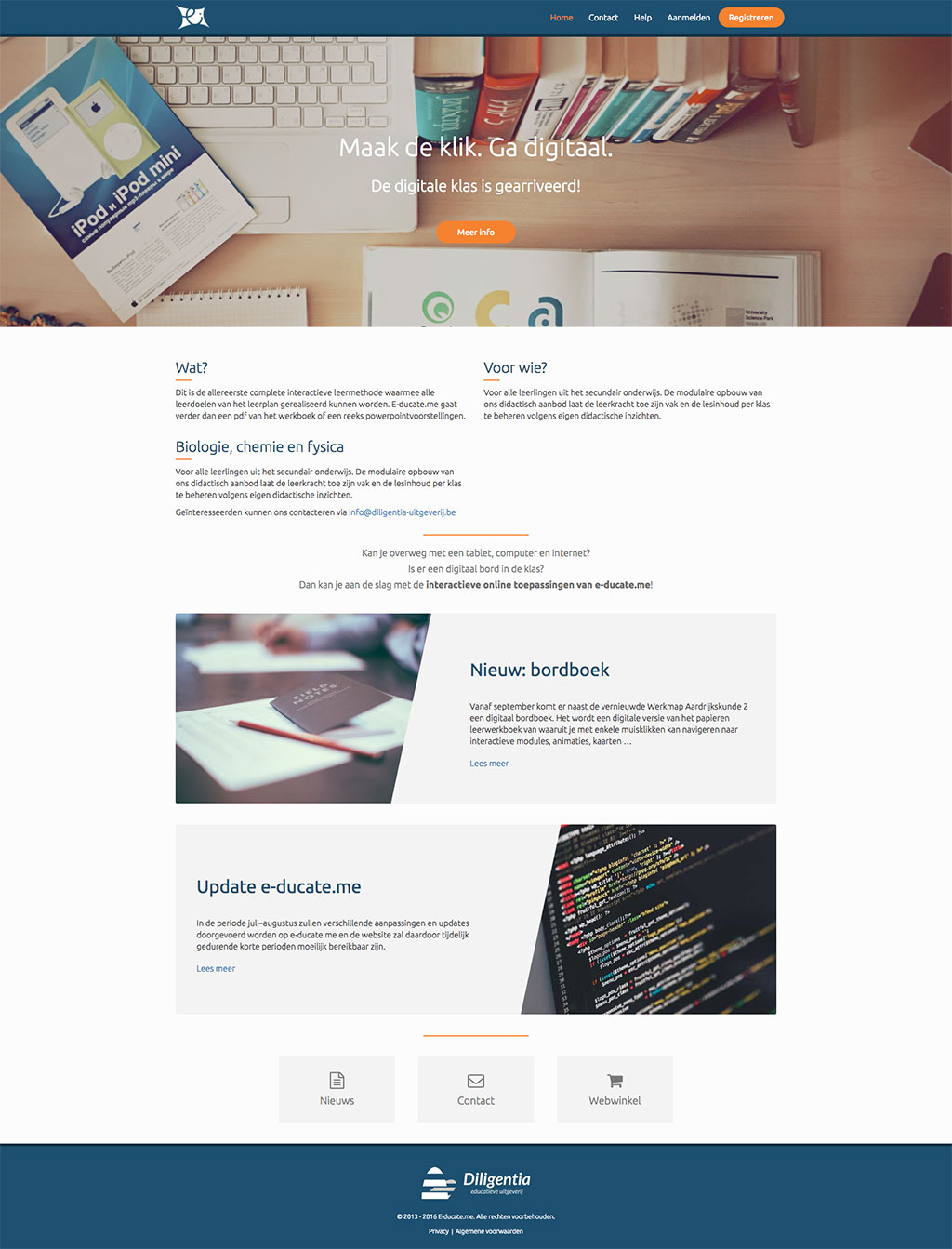
The design (frontend) and font choices were based on my employer’s personal preferences. The base template was originally created by an external company. During the implementation, I made minor adjustments to the colors and margins to further refine the overall appearance.
For the frontend framework, I used Bootstrap v2 via a Yii extension. This extension provided a solid foundation of commonly used UI components, along with a responsive grid system that ensured compatibility across various screen sizes.
Integrating the design into the Yii framework was a smooth and straightforward process.
Bree Serif
- A
- B
- C
- D
- E
- F
- G
- H
- I
- J
- K
- L
- M
- N
- O
- P
- Q
- R
- S
- T
- U
- V
- W
- X
- Y
- Z
- 1
- 2
- 3
- 4
- 5
- 6
- 7
- 8
- 9
- 0
Ubuntu
- A
- B
- C
- D
- E
- F
- G
- H
- I
- J
- K
- L
- M
- N
- O
- P
- Q
- R
- S
- T
- U
- V
- W
- X
- Y
- Z
- 1
- 2
- 3
- 4
- 5
- 6
- 7
- 8
- 9
- 0
Articles
Frontend
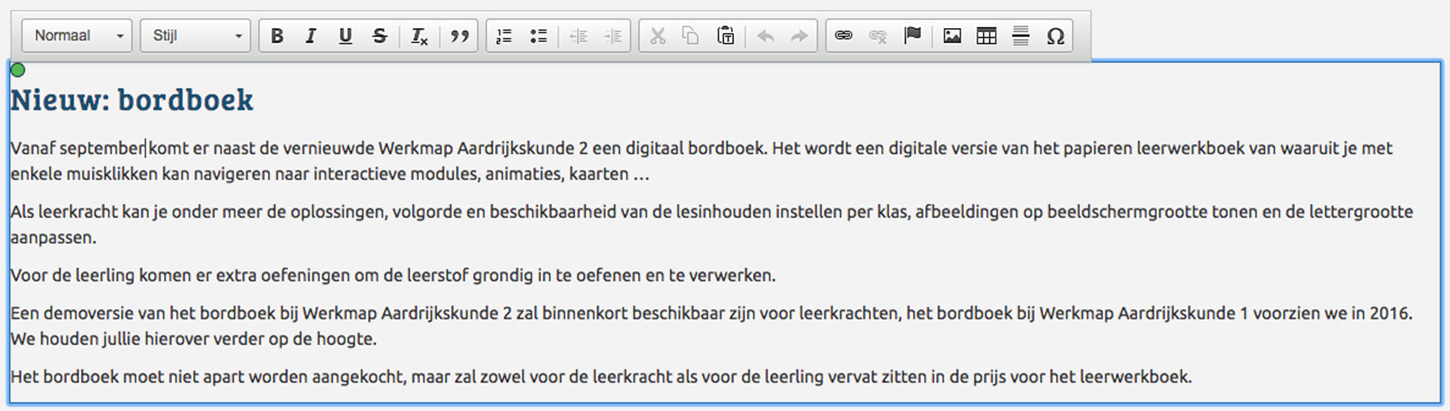
The administrator can edit frontend content directly by clicking on editable sections. Each editable area is powered by a WYSIWYG editor (CKEditor) and is linked to a specific articleId and the corresponding content section it belongs to.
Backend
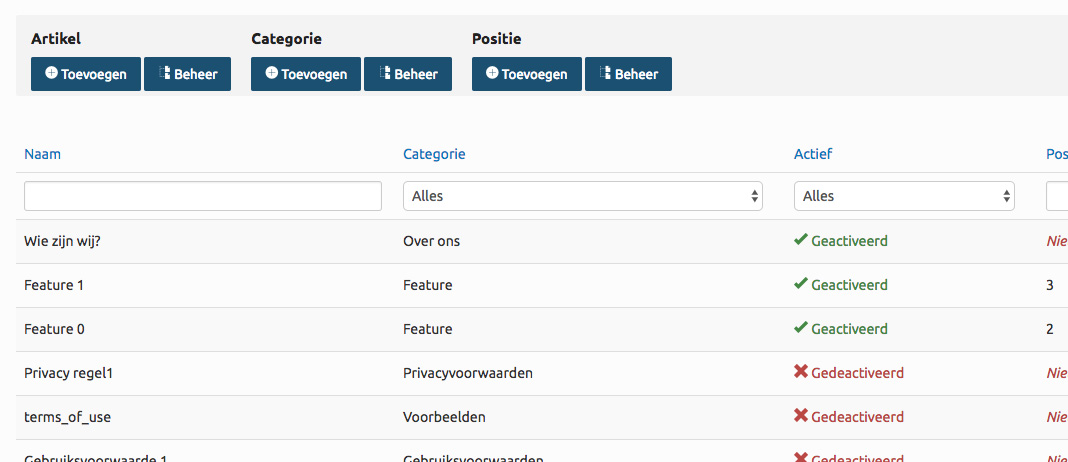
The backend is structured into three main components: Articles, Categories (which articles belong to), and Sections (which group categories or articles). Each of these components includes standard CRUD functionality with dedicated Index, Create, Update, and View pages.
Asset management
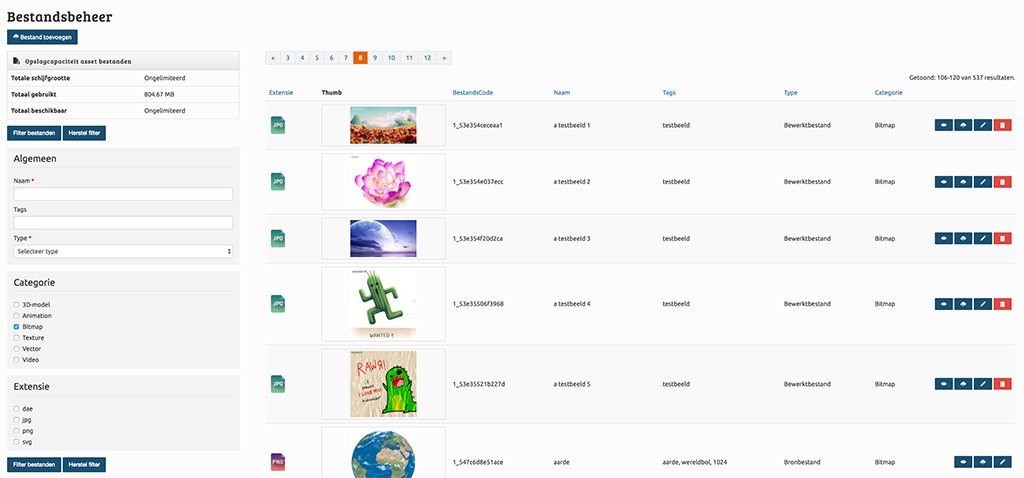
The upload box allows users to upload multiple assets either by clicking on the field or by dragging and dropping files directly into the box.
Uploaded assets are first stored in a temporary folder. Once the upload is complete, users can fill in the required details for each asset using the GridView displayed below the upload area.
This entire process is handled seamlessly without a page reload, thanks to JavaScript (AJAX) combined with PHP on the backend.

After submitting the form, the assets are moved from the temporary folder, and the form data is saved to the database. If applicable, thumbnails are automatically generated.
Additionally, assets can be filtered using the filter panel on the left. Applying a filter dynamically updates the GridView using JavaScript, which improves the overall user experience by eliminating unnecessary page reloads.
Course page
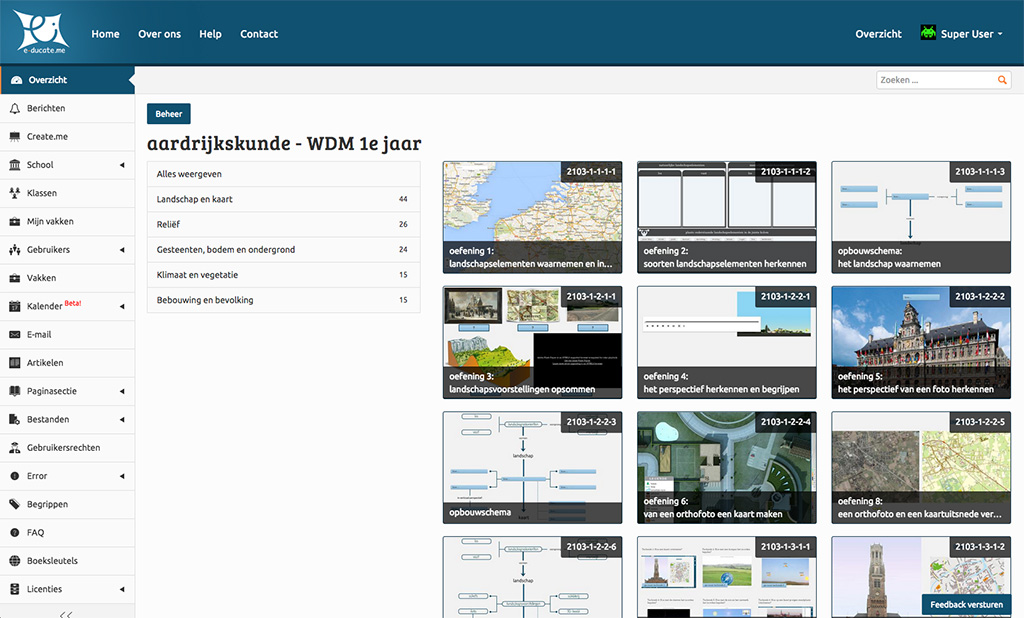
On this page, users can view a course's category structure along with its associated scenes. It's worth noting that the category structure essentially acts as a filter for the scenes.
Categories are displayed using a nested HTML layout. When a user clicks on a category, its subcategories expand, and the corresponding scenes for that category are filtered and shown. The scenes are presented as clickable tabs, allowing users to easily navigate to and view each scene.
FAQ
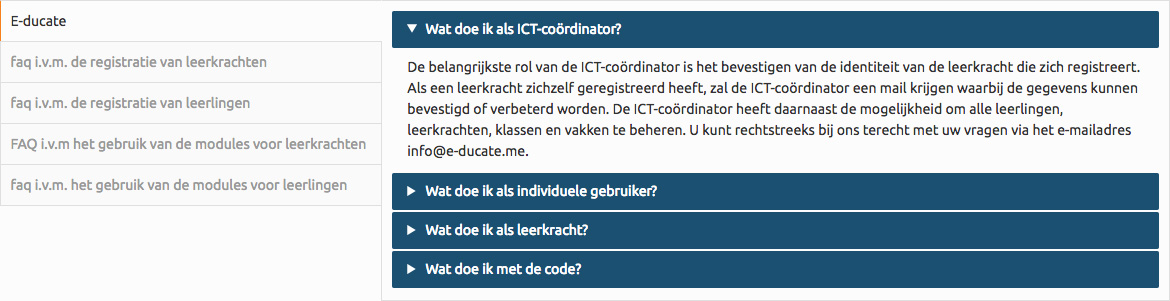
A basic FAQ section has also been implemented using Bootstrap's collapse and tab components. Users can click on a category and then select a question to reveal its answer in a clean, interactive way.
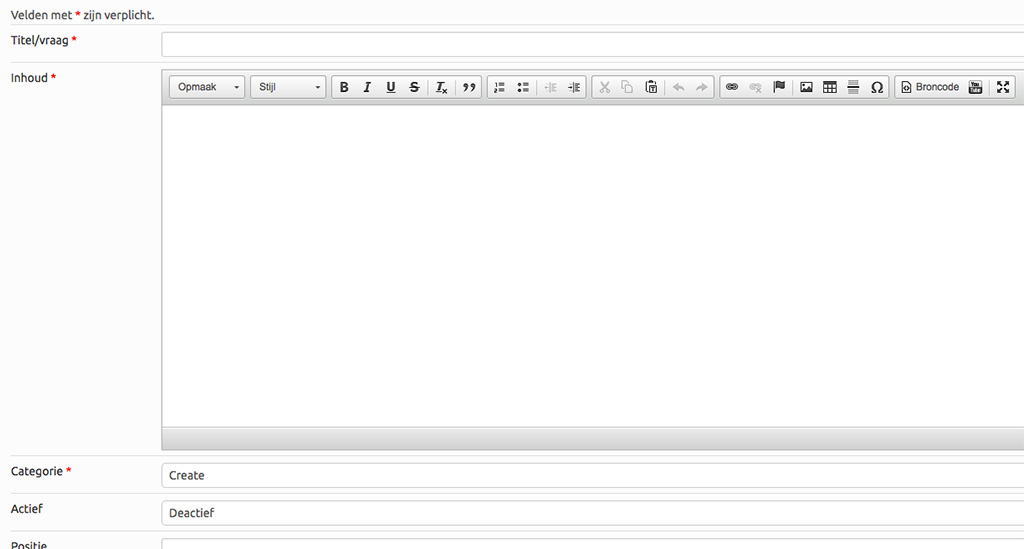
On the backend, administrators have an overview of all existing FAQ entries. An admin user can also fill out a form to add new questions, which are then saved directly to the database.
Next version
Over time, parts of the platform's functionality were separated into different applications. For example, the modules/digital book features were moved to a standalone application built with AngularJS, while the original PHP project evolved into an API and management interface. This work was handled by other team members while I was focused on the Magento 2 project.
By the time both the Magento 2 implementation and the new AngularJS version were completed, the homepage and several basic pages had been left behind, still using outdated designs that no longer fit into the updated structure.
I saw an opportunity to modernize these pages with a fresh, responsive design. The new versions were initially built using plain HTML and CSS, keeping responsiveness and mobile usability in mind. I used Gulp to automate build tasks and NPM to manage third-party packages.
The first version was created as a static HTML/CSS prototype to get a clear idea of how it would render in the browser. Later, I migrated the project to Jekyll, a static site generator, to introduce template flexibility. Avoiding repetitive code by reusing components like headers and footers across multiple pages.
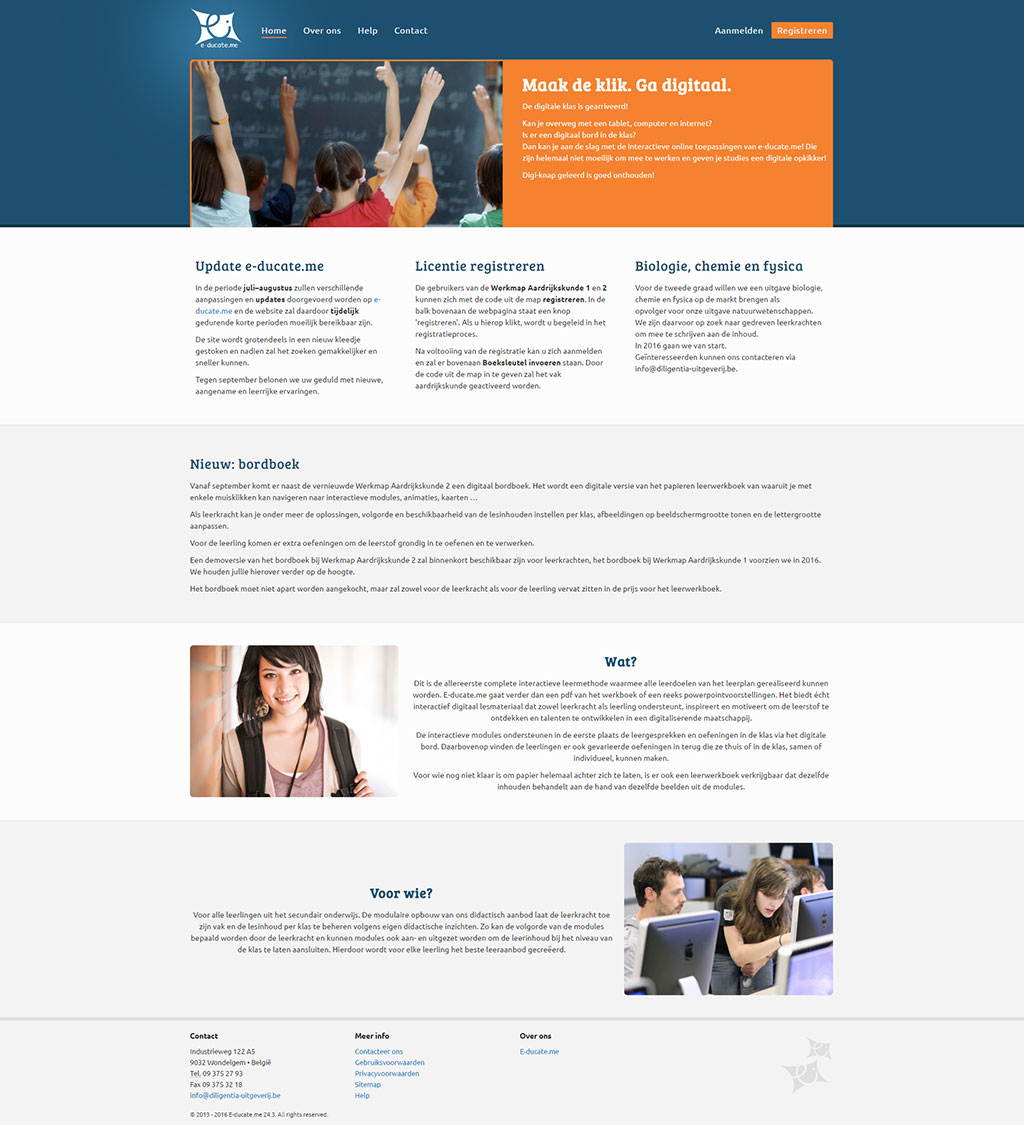
Below are two versions of the homepage. Please note that the text and images in the new version are placeholders and will be finalized at a later stage.
Version 1
Version 2